
Fontaine is a portfolio/profile theme designed for visual designers who appreciate the bold simplicity of Brutalist aesthetics. The goal was to create a theme that gracefully steps back, allowing your content to shine and capture the spotlight.
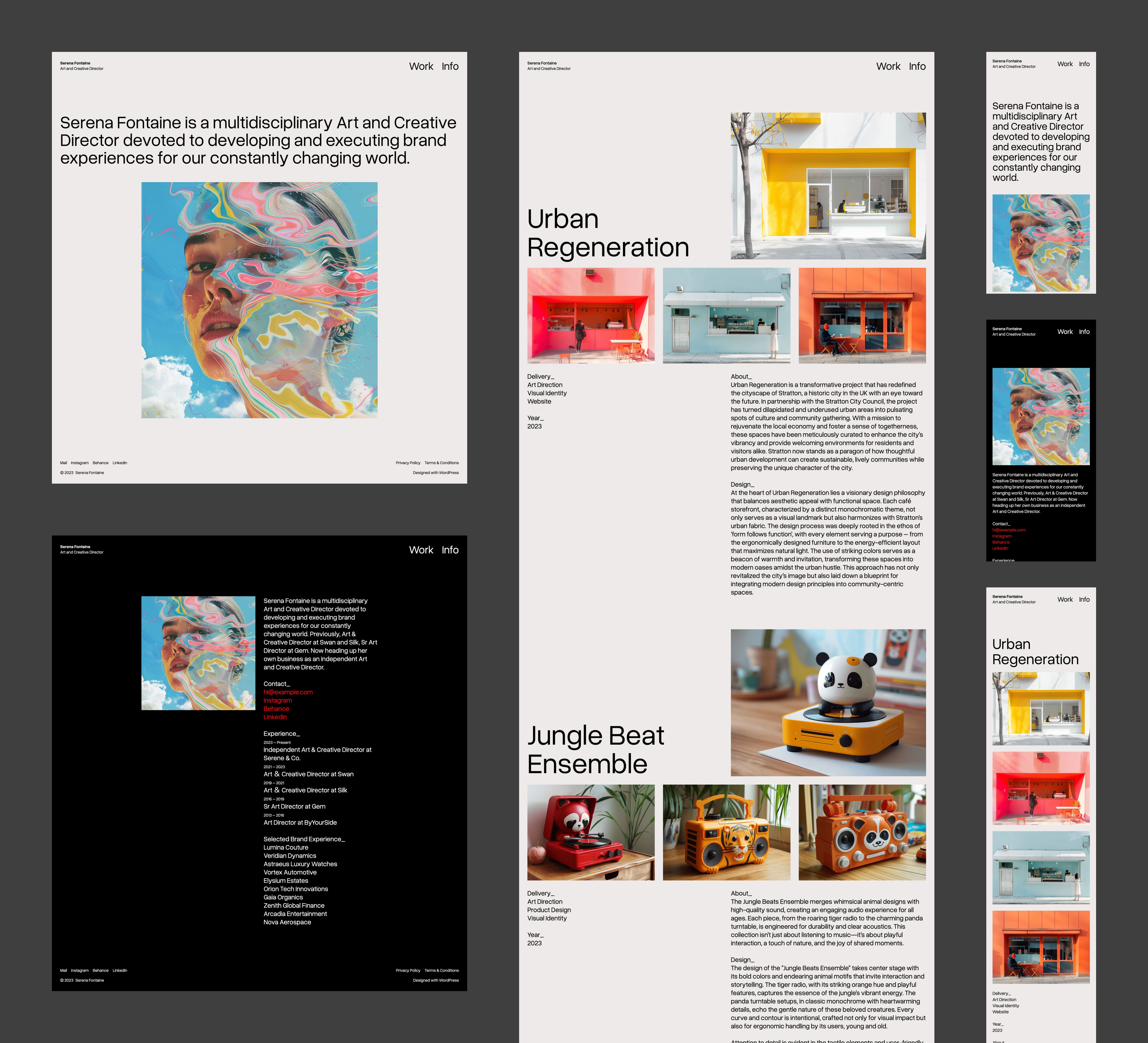
At first glance, Fontaine’s design may appear stark yet dynamically elegant. I’ve used a dramatic font scale inspired by the golden ratio to foster compelling contrasts. The header was intentionally left transparent, crushing with the content behind it, but it blends seamlessly with the background content. The typeface choice, Overused Grotesk, adds a touch of whimsy charm 🙂
Setup
In addition to the Front Page template, the theme carries two additional page templates designed to showcase your work and share information about you in a striking light-on-dark colour scheme. To set up your site like the demo site, follow the steps below.
- Publish a page called Work. Like the homepage, we don’t need to add content; we just need a published page for your work page. Choose
Page: Worktemplate. - Publish a page called Work. Like the homepage and the work page, we don’t need to add content; we just need a published page for your info page. Choose
Page: Infotemplate. - Edit the demo content on those templates with your content in the site editor.
- Add a Navigation block to the header and add page links to the Work and the Info pages.
Download Fontaine from the WordPress theme directory.
 ThemeShaper