By Ian Stewart
|
April 9, 2008
I will soon be releasing the hacked-up version of The Sandbox that I’ve been using as a starting point to develop free and custom themes. For free. On Google Code. As an open source project. Since I have different goals than the Sandbox creators (and not as much skill!) I won’t call my changes improvements but they are changes you may appreciate:
- Search Engine Optimization
- A grid-based starting point
- CSS Reset and Typography based on Blueprint
- Markup allowing even more CSS madness than The Sandbox
- Theme Options
- More Page Templates
- More widgetized areas
- More Microformats
- Popular Plugin Integration
Read More »
By Ian Stewart
|
April 2, 2008
The handling of plugins in WordPress 2.5 is perfect. It’s superb. It’s easy. It’s cake. But now that I have cake, you know, I want to eat it too. I’ve got a proposal for how upgrading of themes should be handled in WordPress 2.6 (or whenever) using a .org theme repository. Maybe more like a couple of ideas. But watch out! My first item is going to be somewhat controversial amongst theme authors.
Use WordPress Theme Options to Store Footer Text

What prevents people from upgrading their WordPress theme? Changes they’ve made to the theme file. Ignoring changes made to accommodate plugins, there’s really only one spot a theme user would really want to change and have no apparent control over in the admin area: the text in the footer. Theme authors should hand over that power.
Read More »
By Ian Stewart
|
March 26, 2008
The contest is over and done! Here’s how the winners were selected: I went through everyone’s ideas and selected the seven best. These seven ideas were forwarded off to Cory Miller of iThemes for ranking. My opinion was asked. An order was set. Three people won some iThemes themes.

The Winners
Andrew of Fun with WordPress
Andrew published a really comprehensive write-up detailing his ideas on a new default theme over on his blog Fun with WordPress. Here’s his idea broken down into a bulleted list:
- A set number of simple pre-defined layouts using accepted CSS techniques
- Speed as a priority with a minimal amount of functions in the theme
- Simple HTML with as little PHP as possible
- No changes necessary that cannot be accomplished through the admin panel
- A theme that follows best practices and can serve as a teaching tool and doesn’t aim to be the theme to end all themes
There’s more of course so make sure you check out the whole thing: Where next for the default theme?
Jeffro of Jeffro2pt0
Jeffro did a great job of quickly summing up his idea. Here’s the gist in a list:
- 110% of inline documentation, even in the stylesheet
- an example of how design, semantics, and web standards can work in unity with WordPress
Jeffro isn’t a theme developer but he knows how one thinks. Check out, in full, Jeffro’s Default Theme idea.
That Girl Again of WordPress™ Wank
That Girl is never short for a good idea. Not surprisingly, her idea for a new default theme does not include a BBH.
- Turn everything into a widget, so you can construct the layout of your page using drag-and-drop.
- Replace Classic with Sandbox and make it the fallback for themes lacking all possible templates
- Leave Kubrick as the default, it makes it easier to hunt out sploggers
You can check out That Girl’s entry in the comments section.
Read More »
By Ian Stewart
|
March 25, 2008
The WordPress themes, Theseus and MNML have both been updated to take advantage of WordPress 2.5’s class-based image-alignment. Plus, all of the weird little CSS bugs in MNML appear to be corrected. The new versions of Theseus and MNML are versions 1.1 and 1.2, respectively. Check your WordPress admin Theme page to make sure you’re using the latest version. Read More »
By Ian Stewart
|
March 16, 2008

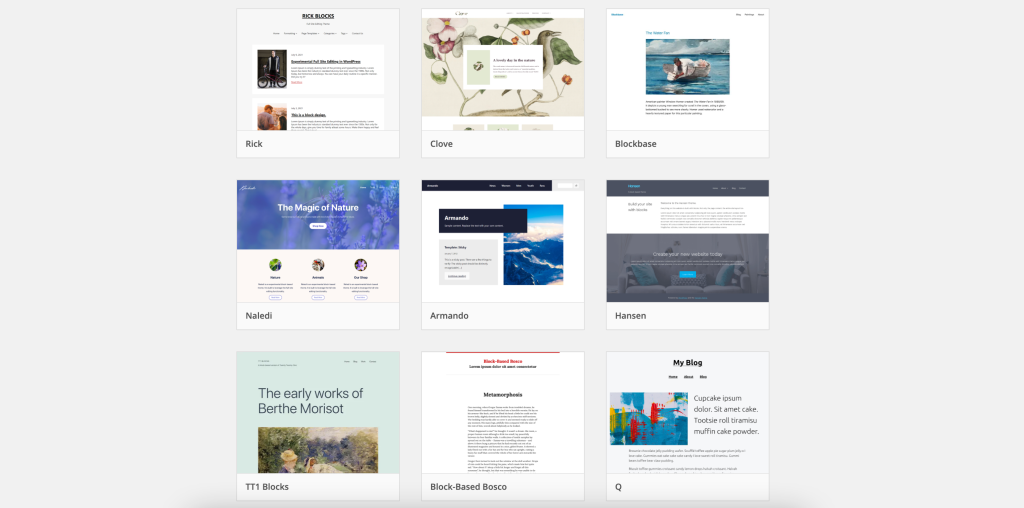
New WordPress users are greeted by a now familiar sight when they first install WordPress, Kubrick. But it’s gotten too familiar. It’s been three years since Kubrick became the new default. It’s time for the WordPress community to think about a change. Let’s have some fun and think about new WordPress themes.
Why We Need a New WordPress Theme for the Default
The default theme is the face of WordPress. It’s the first thing you see on a default installation. It should make you feel comfortable and excited at the same time. Right now the default theme is comfortable, sure, but it’s not really exciting anymore. It was exciting once, remember. But it’s getting tired now.
Plus, WordPress has changed and is changing quickly. The default theme has kept up technically, but it’s lost the WordPress feel. When you think of WordPress, of where it’s at today, is the default theme really what comes to mind? Does it look still look like the face of the best blogging platform around?
The WordPress community is insanely talented and smart. I think we can come up with something new. Read More »
By Ian Stewart
|
March 11, 2008
One of the first things many new blog owners do is remove the Meta section from their sidebars. Great idea. The Meta information is almost completely useless. And I’m not the only one that thinks so.
The Meta section includes some admin links like “Login” or “XHTML Valid.” While those links might be useful for the owner of the blog, they offer no value at all for the reader. The next time you set a Wordpress blog up, start by removing the Meta section from the sidebar. Daily Blog Tips
But you know what? It’s only almost completely useless. It has two great functions; it gives you a link to your admin area from every page and it lets you logout from your blog. Pretty handy when you’re on a public computer. How can we fix this up so we don’t look amateurish and still retain the useful functionality? Easy! Conditional tags and Javascript.
Well, kinda easy. If you want to implement this on your blog you’ll have to do some fiddling around with your theme. No guarantees that the following technique won’t make your site explode.
Here’s what we want to do. Only show the login block to logged-in users and while we’re at it take the whole thing out of the sidebar and put it somewhere really useful: in a sliding panel that drops down from the top of the page with a click, wherever you are on the page. Read More »
By Ian Stewart
|
March 5, 2008
When I predicted the downfall of premium WordPress themes I immediately began to think of the future of WordPress theming in general. Where was it headed really? And if I really wanted to know, who should I ask? Well, if you want to know where WordPress themes are headed in the future, these are the kind of people you want to ask—and the people to watch. And wow, am I glad I asked.
Here are 11 people committed to thinking creatively about WordPress themes and what they mean. These are some of the people who will carry and lead WordPress theming into 3.0 and beyond. Some of these people will set the agenda for the future of WordPress themes. And this is what they think it will look like. Read More »